Skip to content
nagb88 App / Sports
LIVE LOBBY

nagb88 — Live Dealer Tables, Slots and Cricket Betting in One Lobby

Live dealer baccarat, real-money slots from Pragmatic Play and PG Soft, and cricket sportsbook markets sit side by side here — switch between them from the same account. Your deposits and withdrawals run through bKash, Nagad and Rocket, so your wallet stays familiar from the first session.

bKash Nagad Rocket
Browse games
CONTENT / 01

Choosing Between Live Tables and Slot Rooms

The two main paths through the nagb88 lobby are the live casino section and the slot rooms, and they suit different kinds of sessions.

  • Live Dealer Tables

    Live tables are dealer-paced and stream in real time. The round structure is fixed — you place your wager within the betting window, the dealer runs the round, and the result is shown to all players at once. Baccarat Bright is one of the live rooms available.

  • Slot Rooms

    Slot rounds are self-paced and immediate — set your wager, spin, see the result. There is no dealer window to wait for and no round schedule. Studios including PG Soft and Bigtime Gaming supply the slot catalogue. Feature mechanics vary by title and are described inside each game.

  • Sportsbook and Cricket

    The sportsbook section covers cricket as its headline category for Bangladesh members — international fixtures and BPL-format matches sit at the front of the sports lobby. Football BetMastery and Cricket TargetBets are among the titles available. Markets depend on the current fixture calendar.

TRUST / 03

How We Keep Your Account Reliable

Every account on nagb88 is backed by verifiable transaction records and a clear support path. When something goes wrong — a payment question, a login issue, an unclear balance — you have a direct route to resolve it. Your account dashboard keeps a running log of every session, so you can review exactly when you played and what movement occurred in your wallet during that time. The settings panel also lets you adjust how the account behaves — you can control notification preferences and set the conditions under which your session closes automatically.

  • Traceable Payments

    Nagad and Upay transaction records give you a clear, locally familiar audit trail for every deposit and withdrawal. When you need to verify a payment, the record is in your account wallet — no guesswork, no invented processing wind

  • Published Support Route

    The support options — including live chat and the help form — are listed directly on your account dashboard. You do not need to hunt for a contact page. If a payment stalls or a game round closes unexpectedly, open the support tab from the menu and describe the issue.

  • Clear Account Steps

    Registration, verification and wallet linking all follow the fields shown inside the account area. We do not ask you to complete steps that are not described there.

  • Region and Eligibility

    Access to nagb88 depends on your local law and eligible region. We do not make blanket legal claims. If you are in a supported region, the lobby and payment rails are available as described.

Learn more →
HELP AND CONTACT

Support That Matches Your Account Questions

Account questions on nagb88 tend to fall into three areas: payment status, login access and game round disputes. We have set up our support structure around those three, so you reach the right team without being passed around. When you open a support conversation, having your account reference number and the approximate time of the event will help the team locate the relevant record faster. Live chat is available directly from the account menu, and the same menu links to a written query form if you prefer to describe the issue in your own time. Responses to written queries include a reference code you can use to follow up if the matter needs more than one exchange to resolve.

  • Payment Support

    For bKash, Nagad, Rocket or Upay queries, open the Transactions tab in your account wallet. Each entry shows the reference number, amount and current status.

  • Login and Account Recovery

    Locked out of your account? The login page carries a recovery link that sends a reset to your registered email address. Follow the steps shown in that email — they are the exact steps the system expects.

  • Game and Session Queries

    If a game round closed before completing or a result looks inconsistent with what you saw on screen, report it through live chat with the game name and the approximate time of the session. For live dealer tables, the session reference appears in your bet history under the account menu.

MOBILE BROWSER ACCESS

The Full Lobby from Your Mobile Browser

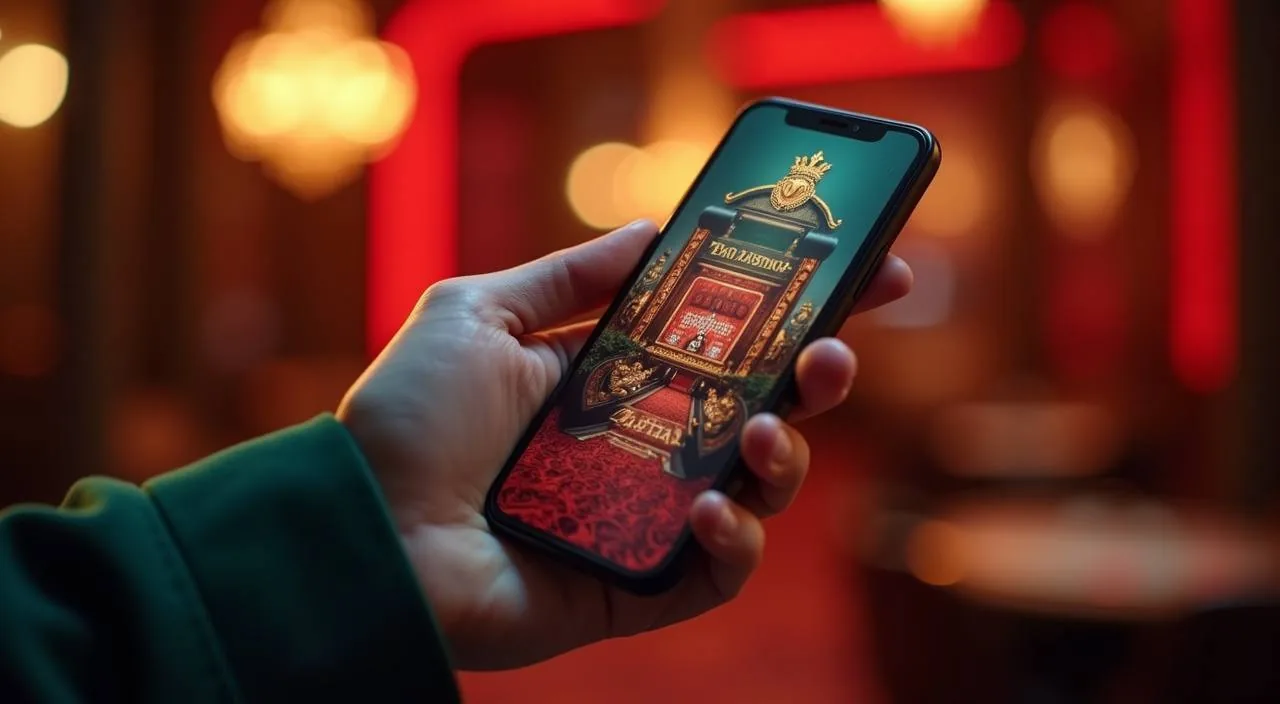
nagb88 runs in your mobile browser without a separate download. The lobby layout adjusts to your screen automatically — live dealer tables, slot rooms and the sportsbook are all reachable from the same navigation row that appears at the bottom of the screen on smaller devices. If your connection drops mid-session, the mobile browser version will resume from the lobby rather than logging you out entirely, provided you return within the same browser session. Pinning the nagb88.net address to your home screen gives you a single tap to reach the login page without navigating through a browser each time.

  • No Download Needed

    Open nagb88 in your phone's browser and log in — the full lobby is there. There is no app store step and no install prompt. The session stays active while you browse, and if you switch tabs and come back, your login persists through the same browser session.

  • bKash and Nagad on Mobile

    Depositing via bKash or Nagad on a mobile browser follows a short sequence: select the method, enter the amount within the limits shown, confirm with your wallet PIN in the separate payment screen, then return to the lobby. The transaction reference appears immediately in your wallet history.

  • Live Tables on Small Screens

    Live dealer tables — including the baccarat and roulette rooms — stream in a landscape-optimised layout on mobile. The betting panel folds below the video feed and expands with a tap when you are ready to place a wager. Road maps and statistics panels toggle on and off so the video stays central.

CONTENT / 03

The Full Lobby from Your Mobile Browser

nagb88 runs in your mobile browser without a separate download. The lobby layout adjusts to your screen automatically — live dealer tables, slot rooms and the sportsbook are all reachable from the same navigation row that appears at the bottom of the screen on smaller devices. If your connection drops mid-session, the mobile browser version will resume from the lobby rather than logging you out entirely, provided you return within the same browser session. Pinning the nagb88.net address to your home screen gives you a single tap to reach the login page without navigating through a browser each time.

  • No Download Needed

    Open nagb88 in your phone's browser and log in — the full lobby is there. There is no app store step and no install prompt. The session stays active while you browse, and if you switch tabs and come back, your login persists through the same browser session.

  • bKash and Nagad on Mobile

    Depositing via bKash or Nagad on a mobile browser follows a short sequence: select the method, enter the amount within the limits shown, confirm with your wallet PIN in the separate payment screen, then return to the lobby. The transaction reference appears immediately in your wallet history.

  • Live Tables on Small Screens

    Live dealer tables — including the baccarat and roulette rooms — stream in a landscape-optimised layout on mobile. The betting panel folds below the video feed and expands with a tap when you are ready to place a wager. Road maps and statistics panels toggle on and off so the video stays central.

GETTING STARTED

From Registration to Your First Lobby Session

Getting your account to the point where the lobby is fully open takes a small number of steps, and each one is described on the screen in front of you as you go. Start on the registration page — the fields there ask for your contact details and a password. Once your contact details are confirmed, the next step is identity verification, which the account area will prompt you to complete before certain wallet actions become available. Follow each on-screen instruction in sequence; skipping ahead is not possible, as each stage unlocks the next. After verification is accepted, the full lobby navigation becomes active and your wallet is ready to use.

  1. Register

    Fill in the registration fields on the sign-up page — contact details and a password. A confirmation is sent to your email address immediately after submission.

  2. Verify Email

    Click the link in the confirmation email to activate your account. The link is valid for the time shown in the email. If it expires, the login page has a resend option.

  3. Complete Verification

    Log in and open the verification section in your profile. Follow the document fields shown there for your account type. The status indicator updates as the review progresses.

  4. Link a Payment Method

    Go to the wallet section and select bKash, Nagad, Rocket or Upay. Enter your mobile number and complete the short confirmation step shown on screen to link the account.

  5. Enter the Lobby

    Make a deposit within the limits shown in your wallet, then open the lobby. Live tables, slots and sportsbook categories are all accessible from the navigation row at the top of the screen.

MEMBER DESK / 06

Offers, support and account controls

01

Game lobby

02

Payment guide

03

Support

LOCAL PAYMENTS

Local Payment Rails Inside Your Account Wallet

The payment methods on nagb88 are the ones Bangladesh members already use day-to-day. bKash, Nagad, Rocket and Upay are all available inside the wallet section of your account, and the deposit flow for each one is built around the same mobile number and PIN confirmation pattern you already kn

  • bKash

    bKash deposits and withdrawals are handled directly inside your nagb88 wallet. Enter the amount, confirm with your bKash PIN in the payment step shown on screen, and the transaction reference appears in your history immediately. Withdrawal requests to bKash follow the same route from the wallet tab.

  • Nagad

    Nagad is one of the two payment rails where verified transaction records are available inside your account. Deposits go through a short mobile number and confirmation step. Your Nagad transaction reference is recorded in the wallet history, making it straightforward to cross-check any payment with support if needed.

  • Rocket

    Rocket payments work through the same mobile-number-based confirmation flow as bKash and Nagad. Select Rocket in the wallet section, enter your Rocket-registered number, and follow the fields shown. The amount, reference and status are logged in your transaction history as soon as the payment is processed.

  • Upay

    Upay is a supported option for members who use it as their primary mobile wallet. The setup step in the wallet section links your Upay number to your nagb88 account.

  • Bank Transfer

    Bank transfer is available for verified accounts. The account details and transfer instructions appear inside the wallet section once your verification is complete.

Banking
FEATURE BRIEF / 05

Titles Worth Opening First in the Lobby

The lobby on nagb88 carries titles across live dealer, slots and crash categories, and the ones members return to most tend to cluster around a few recognisable formats.

Game feature guide
  • Baccarat Bright

    A live dealer baccarat room with a clear road map display and table limits shown before you sit. The dealer stream is stable on mobile browsers and the betting panel is touch-optimised.

  • Cricket TargetBets

    Cricket TargetBets covers the cricket category that Bangladesh members follow most — international matches and BPL-format fixtures. The target-based wagering format means the betting structure is tied to the match situation rather than outright outcomes alone.

  • Crash Skyward

    Crash Skyward is the crash-format game on the nagb88 lobby. The mechanic is straightforward: a multiplier rises from the start of each round and you choose when to exit before it resets. Rounds are short, which makes it a natural fit for mobile sessions between other activity.

DISCOVER / 01

Choose your game

Full lobby
GAME NETWORK
Microgaming
Joker
Pragmatic Play
Bigtime Gaming
PG Soft
CONTENT / 04

nagb88 lobby studios

The nagb88 lobby carries content from Microgaming, Joker, Pragmatic Play, Bigtime Gaming, PG Soft. To check the studio, rules or features of one specific game, open that game card or the published information panel.

  • Microgaming

  • Joker

  • Pragmatic Play

  • Bigtime Gaming

  • PG Soft

ACCOUNT DESK

Account information

Review current account information after signing in.

Login
PLAYER INDEX / 07

Terms You Will See in Your Account and the Lobby

Some terms in the account area and the lobby have specific meanings that are worth knowing before you start.

Player guide and glossary
  • What does 'verified account' mean on nagb88?

    A verified account is one where you have submitted the required identity documents and they have been reviewed and accepted. The verification section in your profile shows what is needed. Once verified, your withdrawal access and payment limits reflect your full account tier.

  • What is the difference between a deposit and a balance credit?

    A deposit is the payment you make from bKash, Nagad, Rocket or Upay into your nagb88 wallet. A balance credit is when that deposit amount — or an offer credit — appears as available funds in your lobby balance. Deposits usually reflect quickly, but the timeline depends on the payment rail.

  • What does 'round result' mean in my bet history?

    The round result entry in your bet history shows the outcome of a specific game round — the game name, the time, the amount wagered and whether the round resulted in a return or a loss.

  • What is a transaction reference and why does it matter?

    A transaction reference is the unique identifier assigned to each payment movement — a deposit or withdrawal — in your wallet history. It ties your nagb88 wallet record to the corresponding entry in your bKash, Nagad or Rocket app.

  • What does 'minimum wager' mean on a live table?

    The minimum wager is the lowest amount you can stake on a single round at that live dealer table. It is shown on the table tile in the lobby before you open the game, so you can compare tables and choose one that fits the session size you have in mind.

  • What does RTP mean on a slot tile?

    RTP stands for return to player — it is a percentage published by the game studio that describes the theoretical long-run return for that specific title.

  • What is a wallet PIN and where do I find it?

    Your wallet PIN is the security code associated with your bKash, Nagad, Rocket or Upay account — it is set and managed inside those payment apps, not on nagb88.

Full glossary
LOBBY / 02

One mobile lobby, distinct game areas

Cricket TargetBets Sports Cricket TargetBets Access → Baccarat Bright Live Baccarat Bright Access → Terms Guide Bangladesh Slots Terms Guide Bangladesh Access → Football BetMastery Sports Football BetMastery Access → Crash Skyward Slots Crash Skyward Access → bKash MoneyIn Slots bKash MoneyIn Access →
EXPLORE FURTHER / 04

Explore detailed guides

Local lobby check

QUICK ANSWERS

Frequently asked questions

The questions below are the ones that come up most often when members are setting up their account, making their first deposit or navigating the lobby for the first time. Each answer describes the actual process rather than a generic outline.

Read FAQ →
How do I deposit using bKash on nagb88?

Log in to your account and open the wallet section. Select bKash from the payment method list, enter the deposit amount within the limits shown on screen, and confirm. A payment step will appear asking for your bKash mobile number and PIN. Complete that step inside the same browser session.

Can I use Nagad to withdraw my winnings?

Yes, Nagad withdrawals are available for verified accounts. Go to the wallet section, select withdrawal, choose Nagad as the method and enter the amount within the limits shown for your account. The withdrawal initiates from your end and the transfer arrives at your Nagad number once processed.

What do I need to complete account verification?

Open the verification section inside your account profile. The fields there specify the documents required for your account type and the region you are in.

Is the nagb88 lobby available on mobile?

Yes. The full lobby — live dealer tables, slot rooms and the sportsbook — is accessible through your mobile browser without a download. The layout adjusts to your screen size automatically.

How do I access cricket betting on nagb88?

Cricket is in the sportsbook section of the lobby. Open the sportsbook tab from the navigation row and look for the cricket category, which is listed prominently for Bangladesh members.

What should I do if a live table session closes unexpectedly?

If a live dealer round closes before completing or the stream disconnects mid-round, check your bet history in the account menu first — the round result is often logged even when the stream drops. If the round result is missing or the amount does not look correct, report it through live chat.

Where can I see the terms for a current offer?

Log in and open the information tab in your account. Each offer entry shows its own terms — the eligibility conditions, the period the offer runs, and the steps required. This is the accurate source for offer terms, not the home page or any external summary.

Does nagb88 work for members in Bangladesh?

Access to nagb88 depends on your local law and the eligible regions as defined in the platform's terms. If you are in a supported region within Bangladesh, the lobby, payment methods — including bKash, Nagad and Rocket — and account features are available as described. We do not make blanket legal assertions about access.

READY WHEN YOU ARE

nagb88 game lobby

Access may be available only where local law permits.

Register Login